No emails.
Just feedback.|
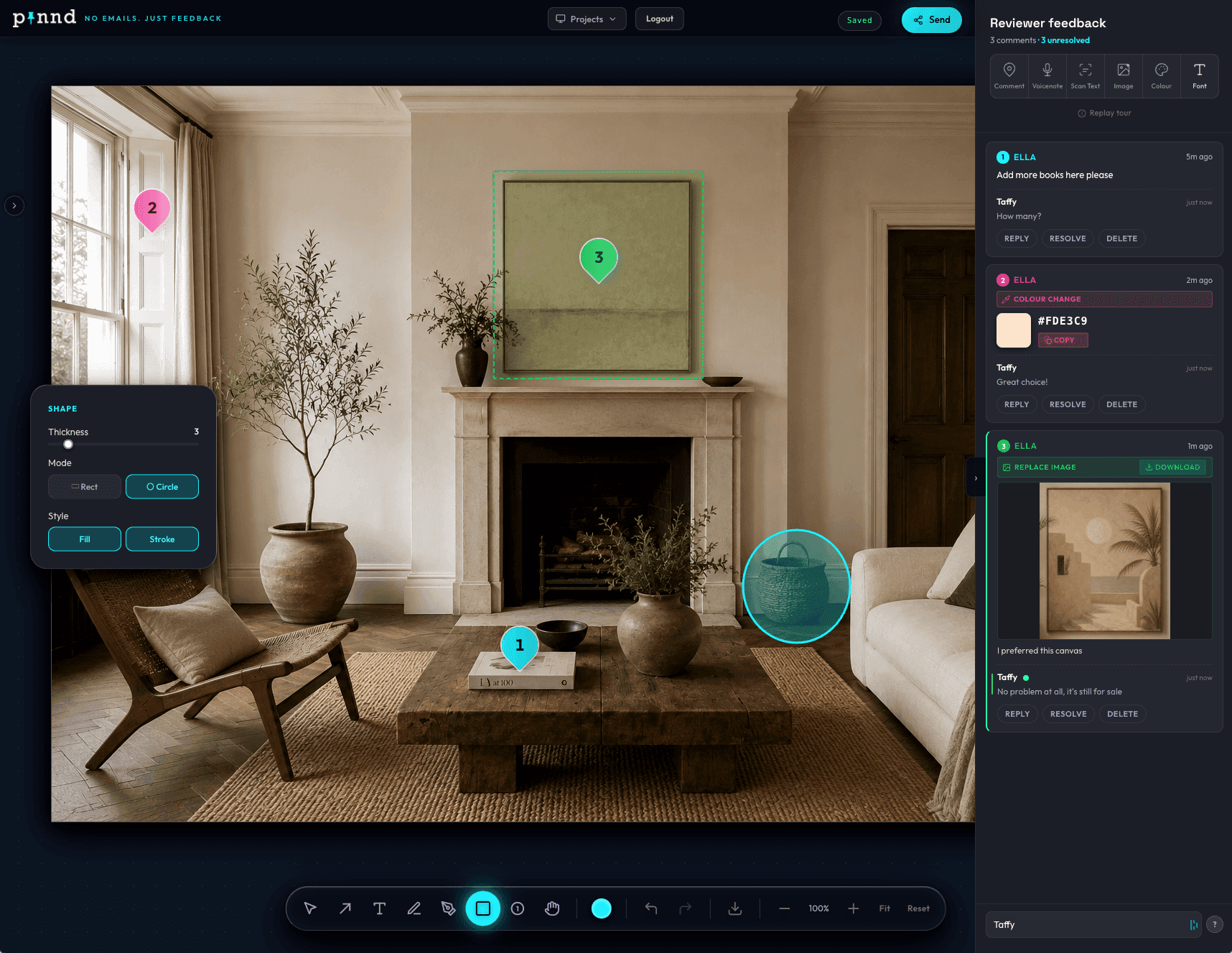
Feedback exactly where it belongs. Conversations attached to every pin. Share in seconds. No login required for reviewers.
No credit card · No login for reviewers · Works in any browser
“Adjust the headline font here.”
Sarah · just now
Marcus · 5 min ago
Looks great, signed off
Client · 8 min ago
Feedback gets messy fast.
Clients shouldn’t need 14 emails to explain one change. But somehow, that’s always where it ends up.
The email thread
"Move the thing on the left. No, the other one."
The screenshot folder
Screen Shot 2024-04-12 at 3.47 PM (1) copy final.png
The PDF markup
Annotated in Adobe — exported — re-exported — unreadable.
The vague Slack message
"Can you make it pop more? Also the colours feel off."
The revision round 7
You changed it. They meant something else. Back to square one.
The "make it pop"
"It just needs something. I'll know it when I see it."
Three steps. Zero friction.
Upload
Drop in any image, design, screenshot or mockup. Any format, any size.
JPEG · PNG · WebP · PDF page
Pin feedback
Click anywhere on the visual to add a pin. Leave a comment, record a voice note, drop a colour reference, suggest a font, or attach an image.
Comments · Voice · Colour · Font · Image
Share
Copy a link and send it. Reviewers open it instantly and leave feedback in seconds. No account needed on their end.
No login required for reviewers
Everything you need to give feedback that actually lands.
Comment Pin
Drop a text comment anywhere on an image. Click to place, type your thought, add links, and let the context do the talking. Threaded replies keep every conversation in the right place.
Voicenote Pin
Record audio comments directly in the browser. Tone, nuance, and context come through exactly as intended. Misunderstandings don't.
Scan Text Pin
Scan and extract any text from an image. Reference copy errors, flag inconsistencies, edit and send precise feedback in seconds.
Image Pin
Upload a replacement image and pin it directly onto the area you mean. "Use this photo here" — no ambiguity, just results.
Colour Pin
Pick and share exact colour references from anywhere on screen. Hex values, colour context — no more "a bit more orange" surprises.
Font Pin
Select from nearly 2,000 Google Fonts and pin your suggestion directly onto the type. Typography feedback that speaks for itself.
Send this link.
Get feedback in seconds.
Instant share links
One link. Zero friction.
Copy a URL and your client is reviewing in seconds. No login, no account, no app install — ever.
Password protection
Private when it matters.
Gate any review with a password. Sensitive work stays between you and the right people. Nothing leaks.
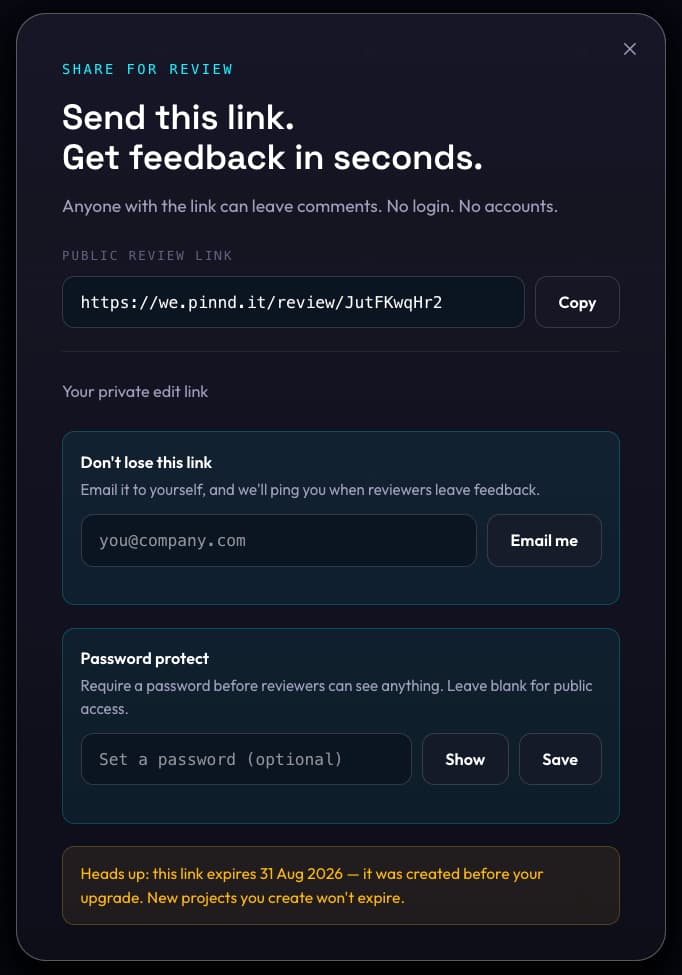
Optional per review
Blank = public access
No login needed
Reviewers just open it
3 new replies
on “Adjust headline” · just now
Pin just landed
from Sarah · live update
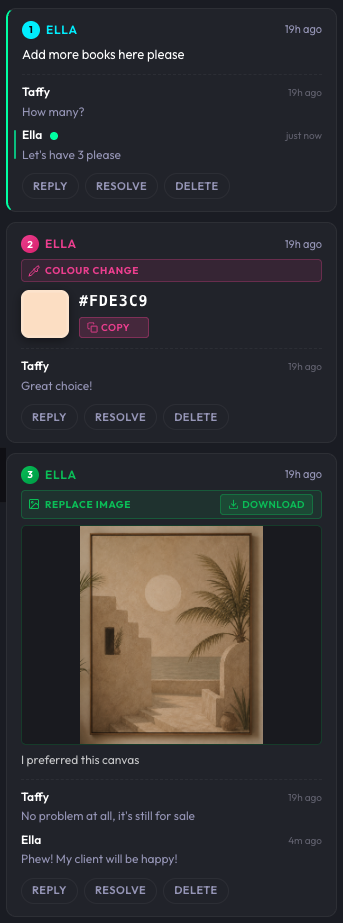
Every pin starts
a conversation.
Feedback doesn't happen in isolation. Reply threads keep every discussion pinned to the work — and real-time updates mean everyone sees it the moment it lands.
Reply threads
Every pin has its own threaded conversation. Discussions stay exactly where they belong — on the work.
Real-time updates
New pins appear the moment reviewers place them. No refresh, no delay — watch feedback land live.
Stay looped in.
Without the noise.
Two smart emails do the work. One fires the moment feedback lands — one rounds everything up each morning. Nothing slips. No constant checking.
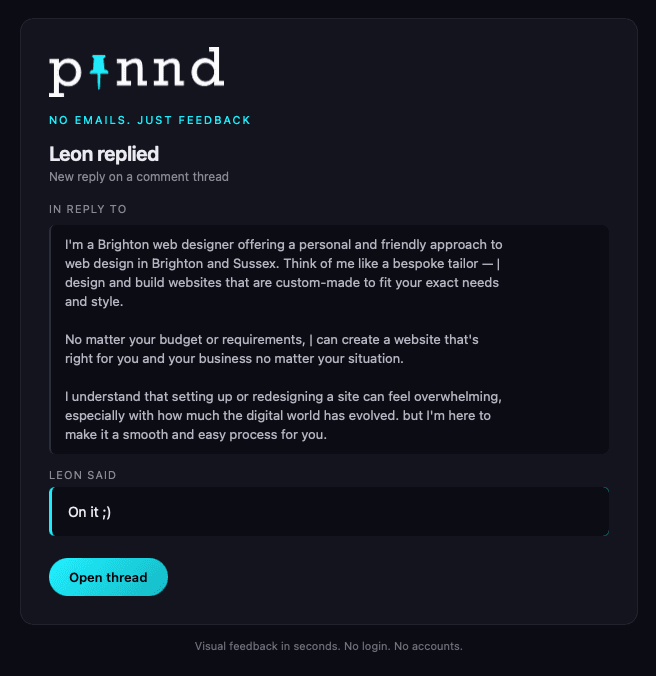
Know the moment they reply.
The second a reviewer drops a comment or replies in a thread, a notification hits your inbox. Open the thread directly — no searching.
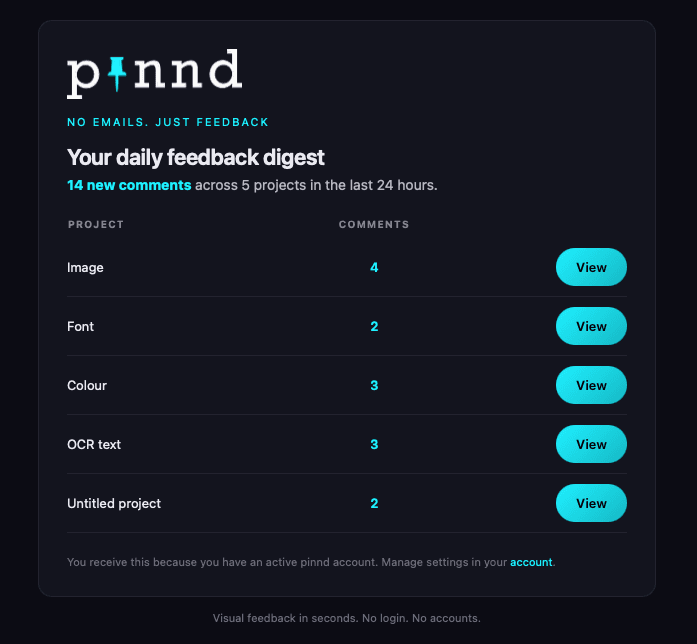
Your morning briefing.
Every project. Every comment. Every number. Lands every morning so you start the day knowing exactly what needs attention.
Visual. Fast. Frictionless.
Most tools make feedback harder than it needs to be. pinnd keeps it visual from start to finish.
The old way
- Messy screenshots attached to emails
- Vague comments with no visual context
- PDF markups nobody can find again
- Bloated project tools your clients won't touch
- Revision rounds that keep multiplying
With pinnd
- Feedback pinned exactly where it belongs
- Context baked into every single comment
- One shareable link, always up to date
- A tool simple enough for any client
- Clear rounds. Faster sign-off.
Anything visual becomes collaborative.
Designers, agencies, founders, marketers and their clients all use pinnd to stop guessing and start communicating.
If it’s visual, you can pin feedback on it.
Designers. Agencies. Founders. Clients. All in the same place.
Your clients don't see pinnd.
They see you.
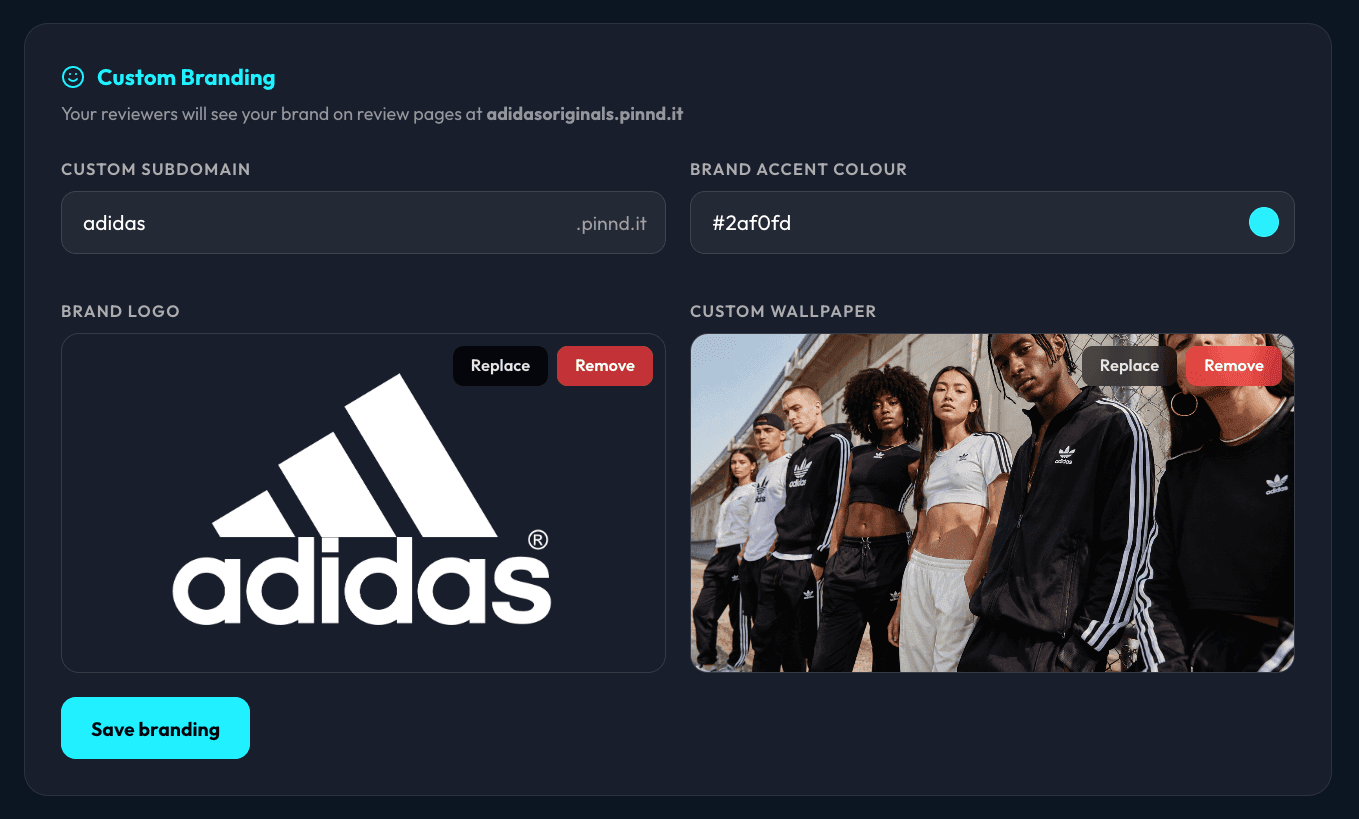
Your subdomain. Your logo. Your wallpaper. Your colours. Every review link is a branded experience that starts before your client reads a single comment.
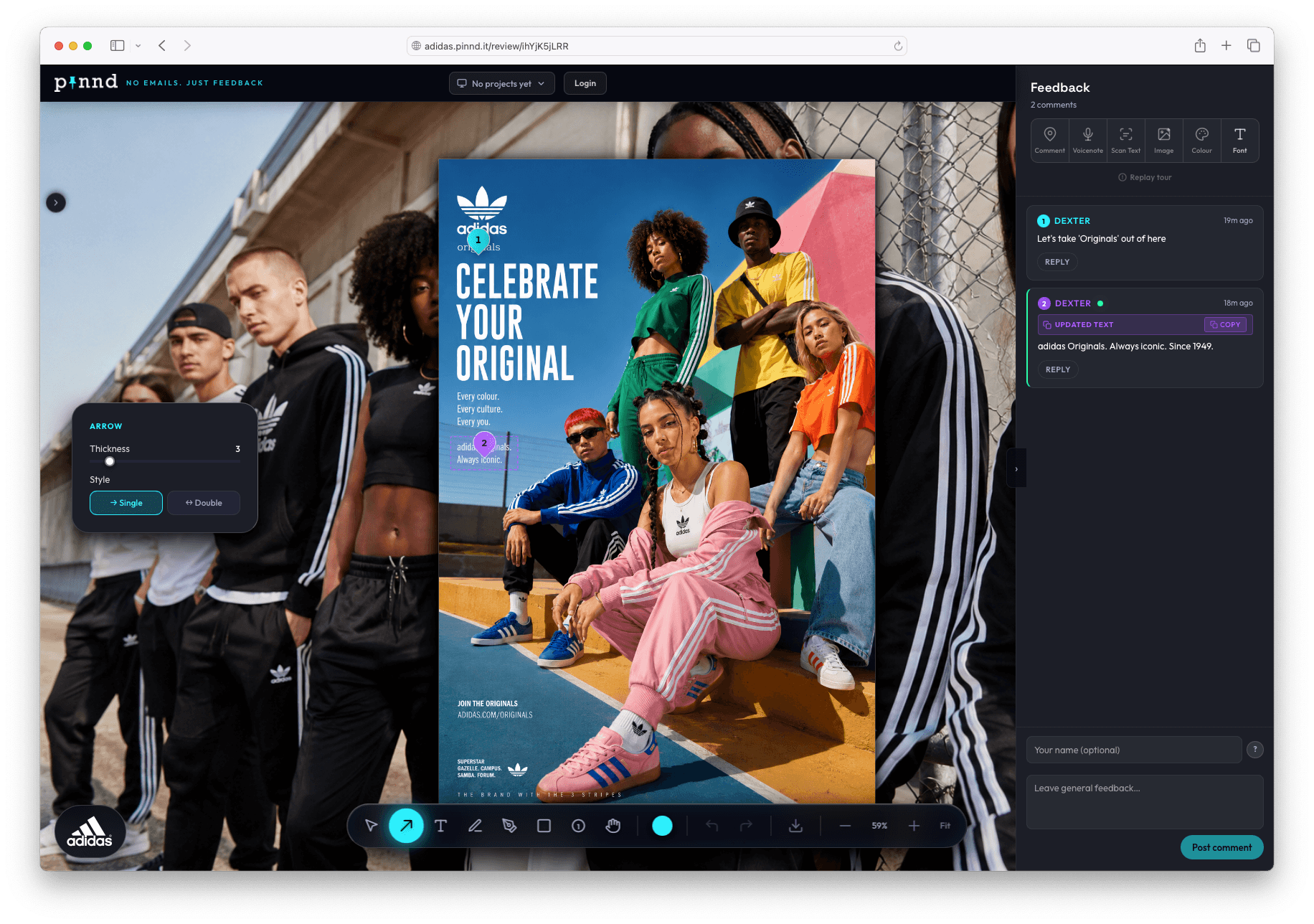
Custom Subdomain
adidas.pinnd.it
[yourbrand].pinnd.itYour brand name in every review URL. Adidas literally pinnd it — and so does yours.
Brand Logo
Always on-brand
Bottom-left, every sessionYour logo sits in the bottom-left of every review session. Clients see your brand, not ours.
Custom Wallpaper
Full-bleed brand imagery
Your photographySet your own background photography across all review pages. Own the aesthetic completely.
Brand Accent Colour
Pixel-perfect palette
#2af0fdEvery interactive element — pins, buttons, highlights — takes your exact brand colour.
Set it up in seconds
One panel. Total brand control.
Subdomain, logo, wallpaper, and accent colour — all configured from a single settings screen. No code. No designers. No waiting.
Questions, answered.
Everything you need to know before you start — and after.
Getting started
4pinnd is a visual feedback tool. Upload any design or mockup, place pins exactly where feedback belongs — text comments, voice notes, colours, fonts — then share a single link. Reviewers click, comment and you see everything in one place.
Never. Reviewers open your shared link and leave feedback instantly — no sign-up, no login, no app to install. This is by design. The less friction, the faster the feedback.
PNG, JPG, JPEG, WebP and GIF are all supported. For multi-page documents, export each page as a flat image and create a project per page. PDF and multi-page support is coming.
Not yet. pinnd is built for larger screens — the kind where you can click, mark, and drop feedback without squinting. Open any pinnd link on a laptop or desktop to use it.
Still have a question we haven't covered?
Email us at hello@pinnd.itSimple. No surprises.
Start free. Upgrade when you need it.
Founding Member Pricing. Join now and lock in these rates for life. As Pinnd grows, new customers will pay £9/month (Lite) and £29/month (Pro), but your pricing will never increase.
Free
Get started instantly. No card needed.
- 1 active project
- 7-day link expiry
- 1 reviewer per project
- All 6 pin types
- Shareable review links
Lite
For individuals who need more room.
- 10 active projects
- 30-day link expiry
- 1 reviewer per project
- All 6 pin types
- Shareable review links
Pro
For professionals and teams.
- 50 active projects
- 90-day link expiry
- Unlimited reviewers
- Password-protected links
- Custom branding
- Custom subdomain
- Priority support
All plans include shareable review links. No login required for reviewers, ever.
Need more projects? +10 Projects Add-on — £5/mo recurring. Cancel anytime.
How will you pinn yours?
Clearer feedback starts here. Your clients will finally get the point.
I’ve  it!
it!